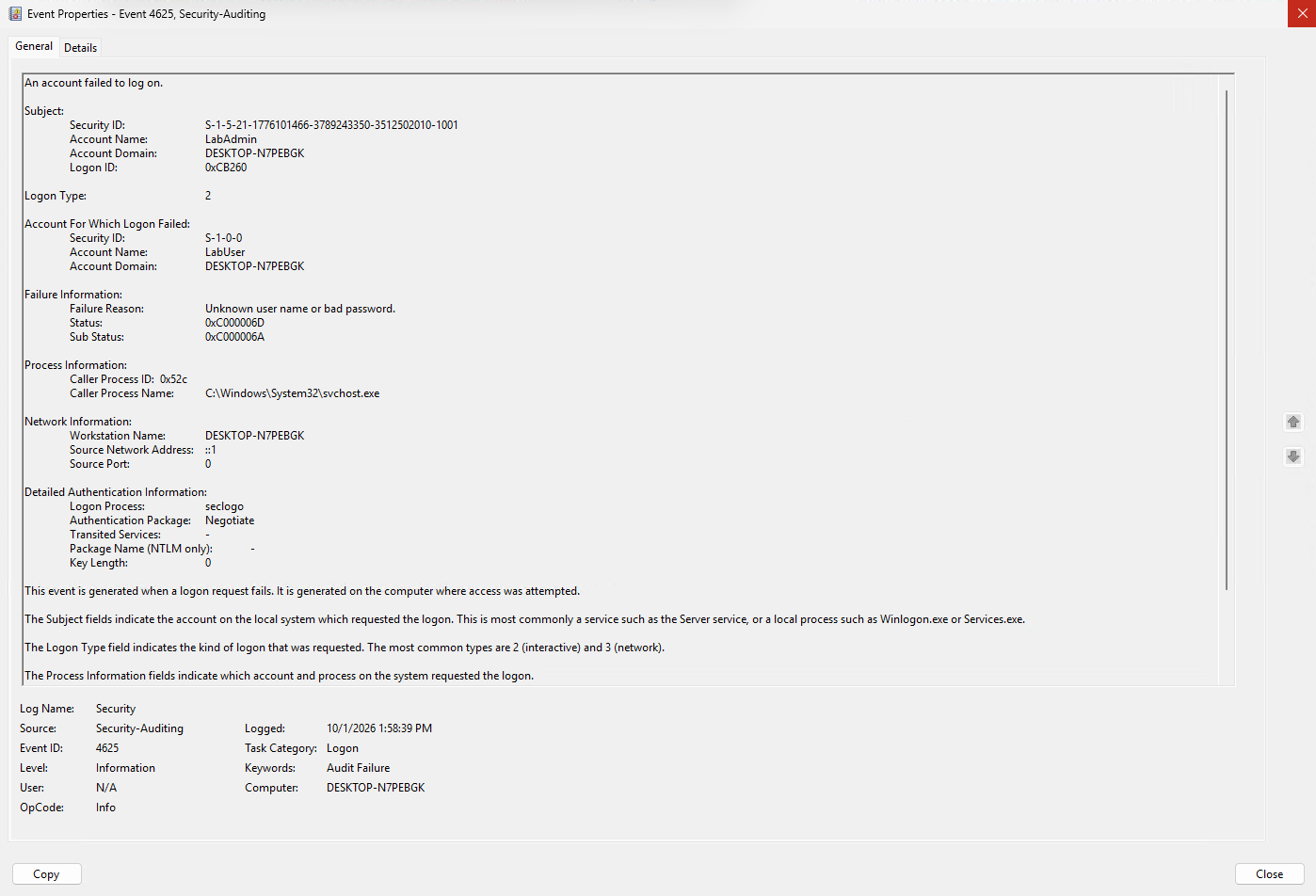
Incorrect password
A controlled LabUser attempt produces event 4625 with SubStatus 0xC000006A.
security lab / 02
completed 1 October 2026I built a Windows lab in Hyper-V and compared successful logons with incorrect passwords and unknown users. Using Event Viewer, I examined events 4624 and 4625 and the status codes that explain each failure.
01 / overview
How do Windows Security logs distinguish a successful logon, an incorrect password and an unknown username?
A Windows 11 lab uses controlled runas attempts and Event Viewer to compare three selected authentication events. The goal is to understand what the fields say about the outcome and failure reason.
02 / what I found
A controlled LabUser attempt produces event 4625 with SubStatus 0xC000006A.
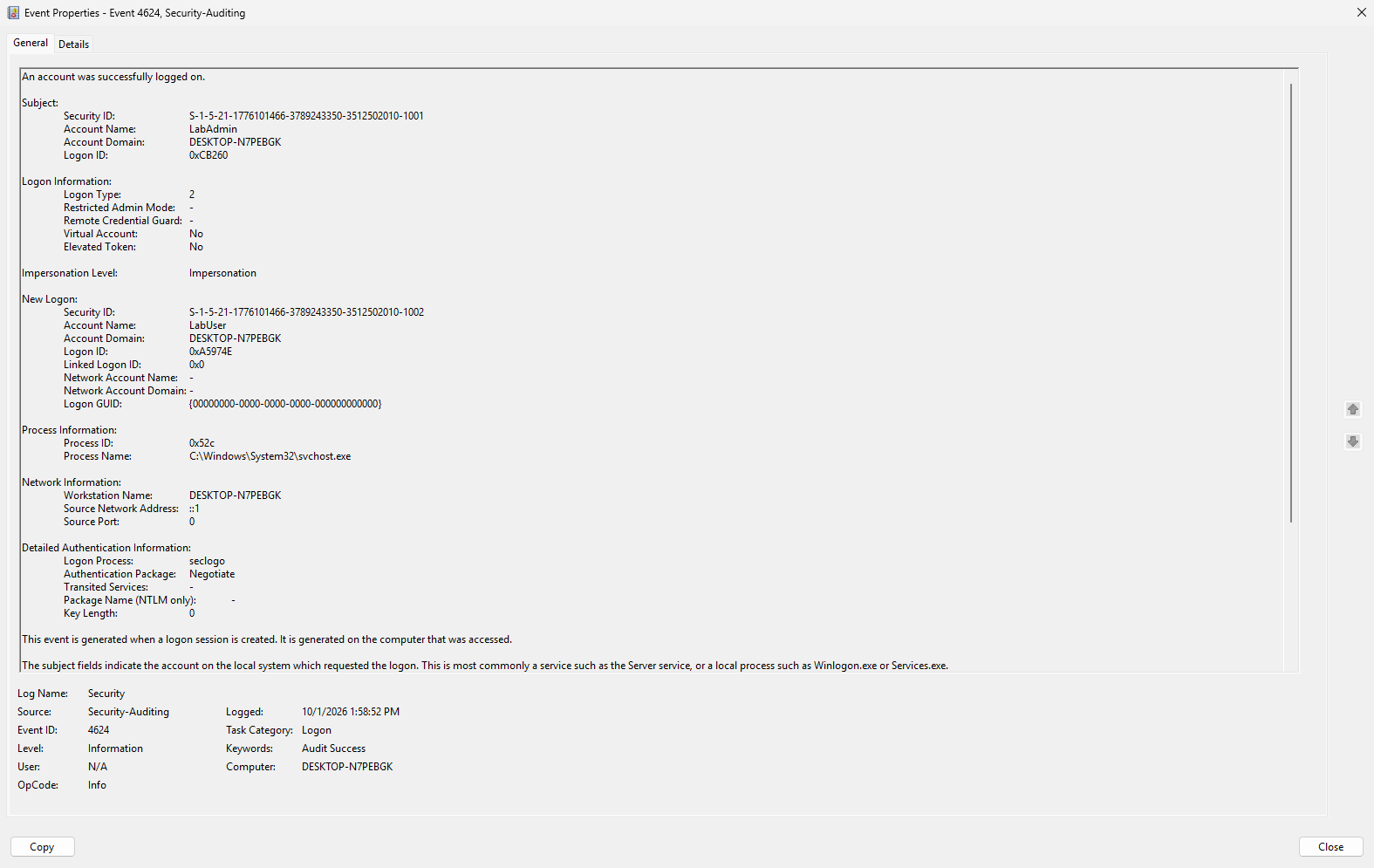
A subsequent valid LabUser attempt produces event 4624.
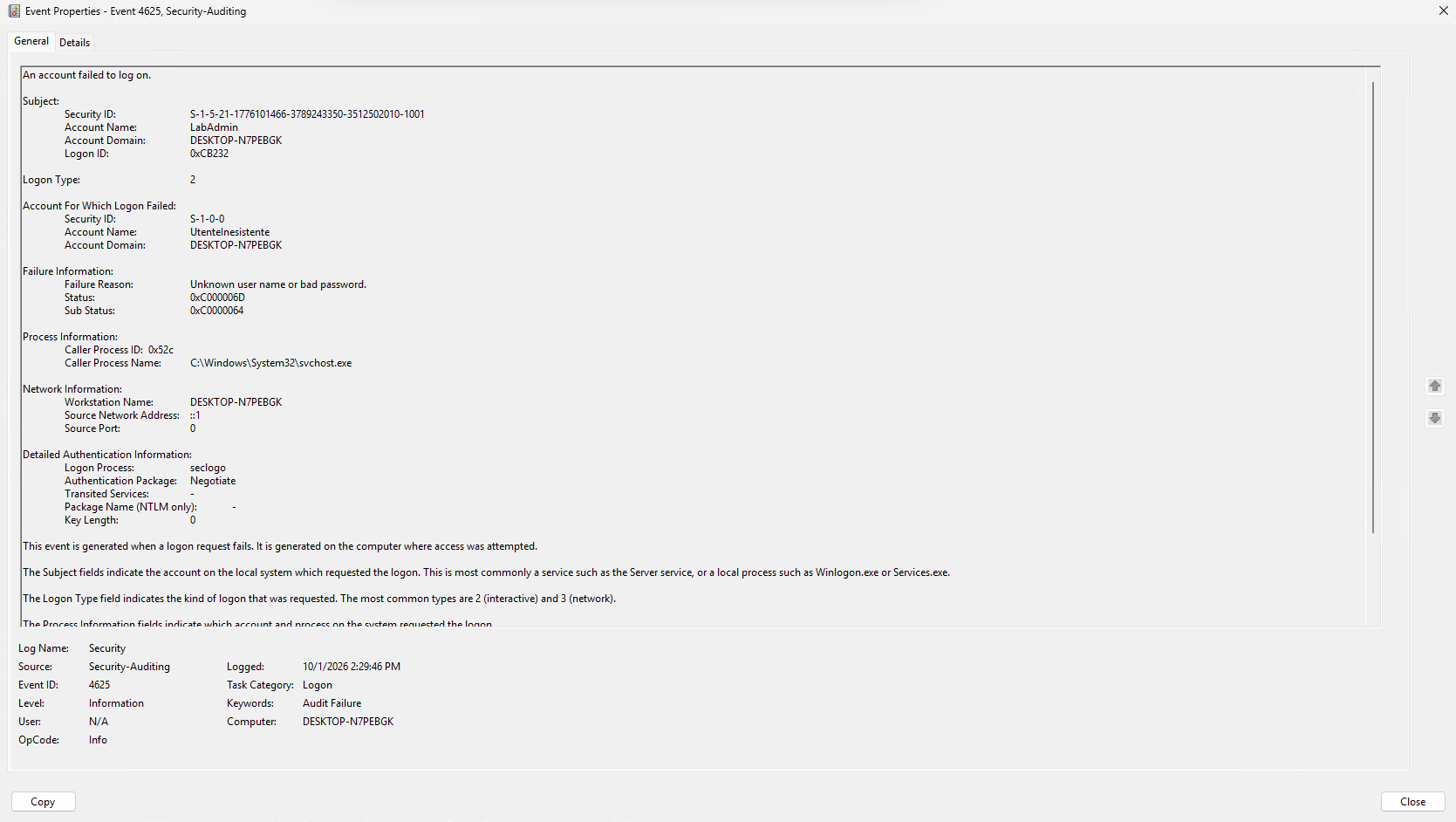
A controlled attempt with UtenteInesistente produces event 4625 with SubStatus 0xC0000064.
03 / evidence & scope
Three selected native Windows Security events, annotated screenshots, event field comparisons and a step-by-step reproduction guide. The tests use Logon Type 2 and a loopback address.
These are deliberately generated local events. A failed attempt followed by a successful logon does not by itself demonstrate credential theft, brute force or compromise.
04 / reproduce the lab
Create a Windows virtual machine in Hyper-V, prepare a local lab user, generate controlled attempts with runas and compare the selected Security events in Event Viewer.